
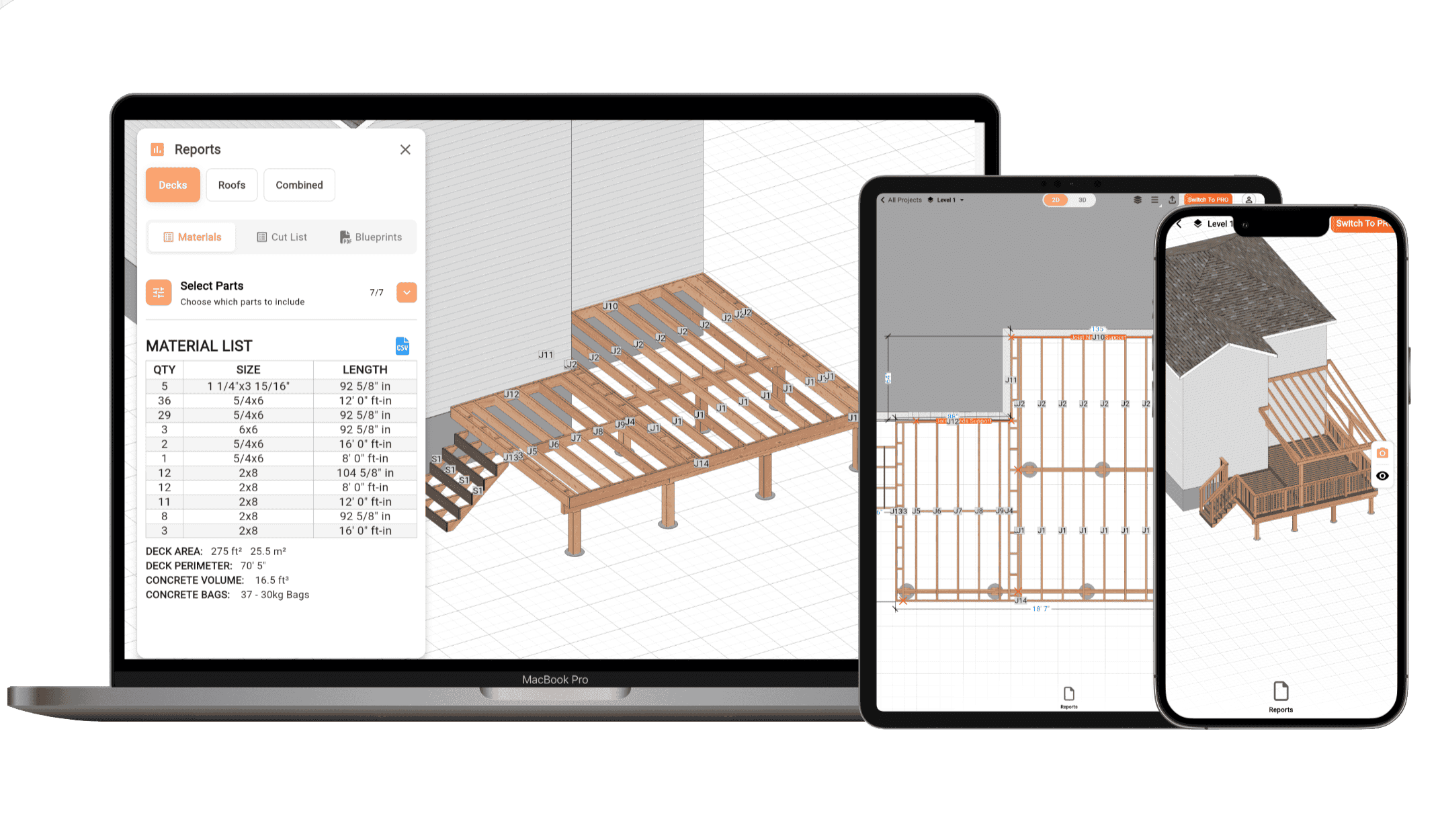
3D Deck Design Software - Blueprints, Cut Lists & Renders in Minutes
Design Your Deck with AI. Just Describe It
RedX Decks now includes RedX AI, your AI deck designer. Describe the deck you want in plain language and RedX AI builds the complete 3D design: framing, beams, joists, posts, stairs, and railings. Ask for changes the same way, and refine every detail yourself whenever you want. Every deck RedX AI builds comes with the same structural calculations, cut list, and permit-ready blueprints.
- Build from a description. Tell RedX AI the size, shape, and style, and it generates the full deck in 3D, structure included.
- Edit in plain language. Ask for changes the same way you'd describe them to a builder and watch the design update instantly.
- You stay in control. Everything RedX AI builds is fully editable, so you can fine-tune framing, materials, and layout with the regular design tools.
Any Shape, Any Style - Automatic Structural Calculations
Any Shape & Style
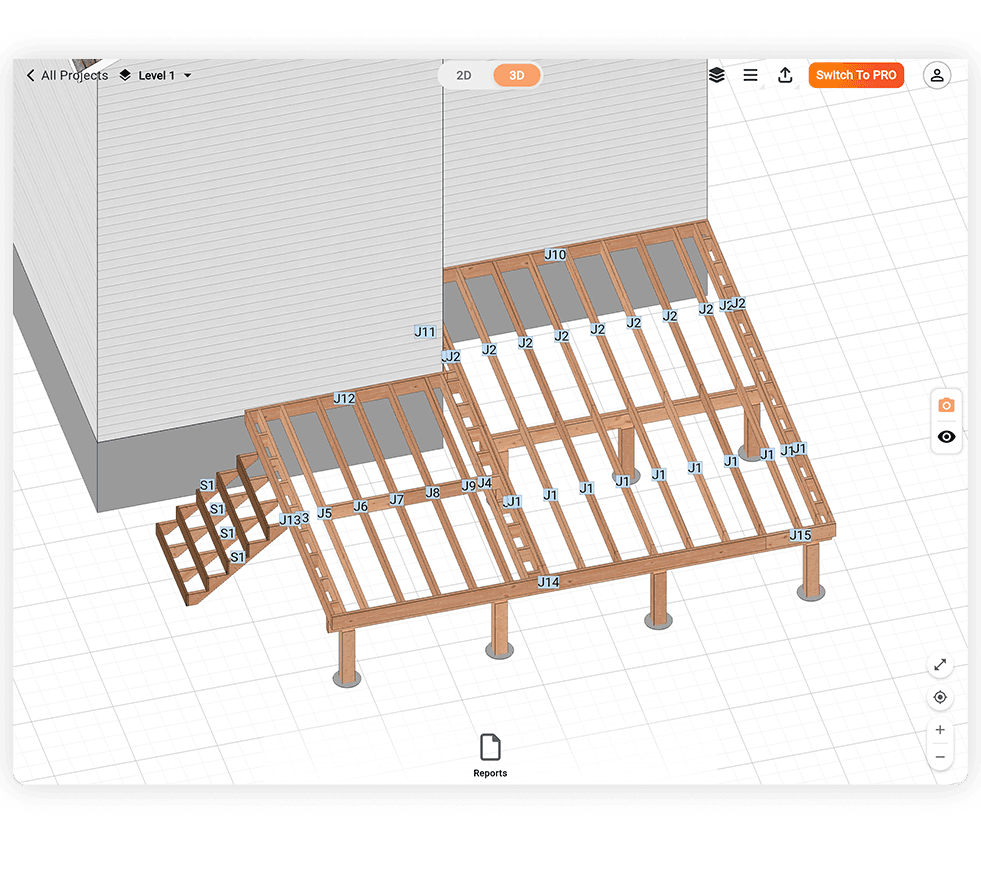
Build a simple rectangular deck or a complex multi-level deck. Draw your deck from scratch or start from a preset - the deck planner adapts to any layout, size, or configuration.
Automatic Beam & Joist Placement
The deck design software automatically calculates optimal beam positions, joist spacing, and post locations based on your deck dimensions and span - no structural engineering knowledge required.
Full Structural Calculations
Get instant load calculations showing the weight supported by each post and beam. Verify your deck is structurally sound before you build - and before you submit for a permit.
Instant Cut List & Material List - Know Exactly What to Buy
Complete Cut List for Every Component
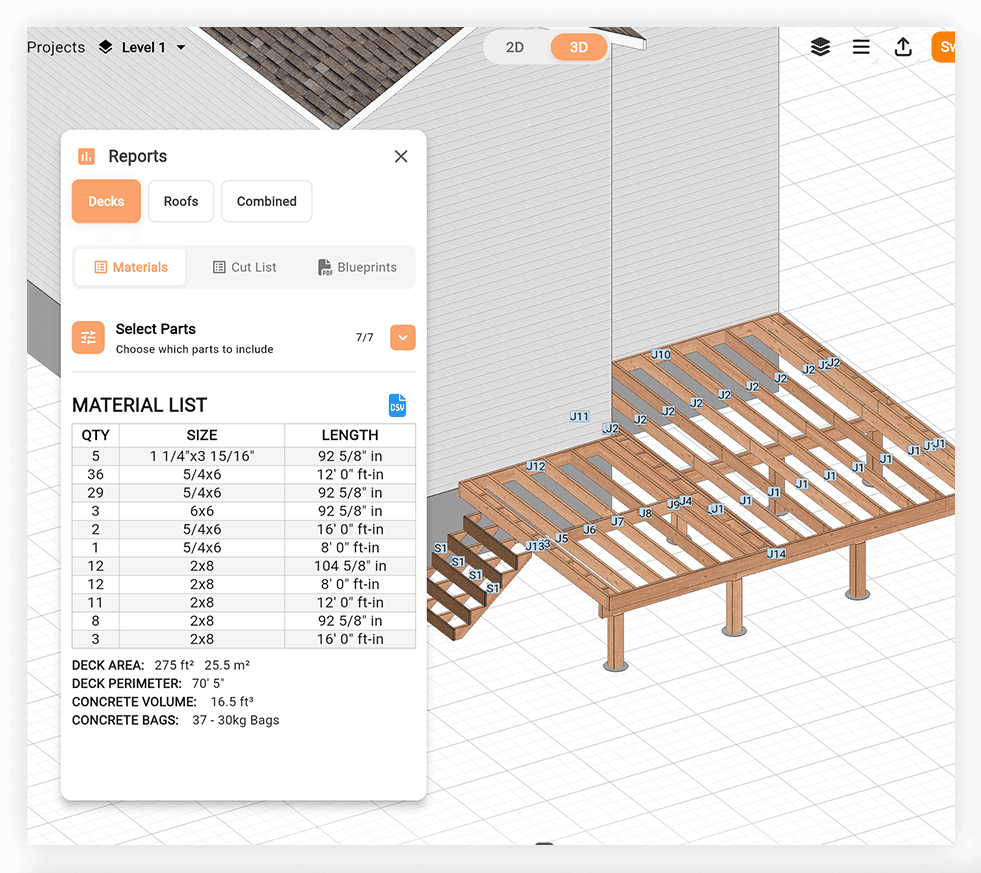
Every board, joist, beam, post, and stringer is listed with its exact length and quantity. Take it to the lumber yard or hand it to your crew - no measuring twice.
Automatic Material Calculations
The deck planner calculates all required materials based on your design - decking boards, framing lumber, hardware, and more. Order exactly what you need with no over-buying or shortfalls.
Area, Perimeter & Board Count
Get instant calculations of your deck's total area, perimeter length, and decking board count. Essential for accurate material estimates and contractor quotes.
Deck Blueprint Generator - Design to Documentation in Seconds
One-Click Generation
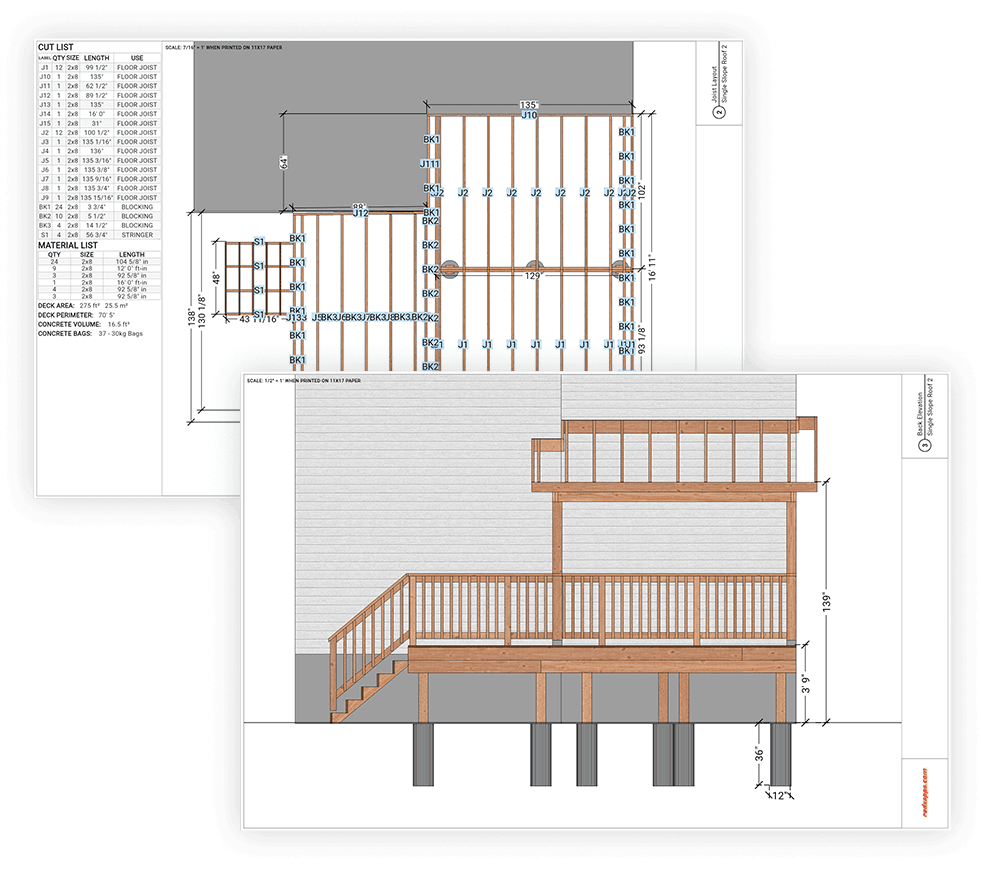
Transform your deck design into professional-grade blueprints instantly. The deck design software creates detailed technical drawings with a single click, saving hours of manual drafting work.
Comprehensive Documentation
Generate complete blueprint sets including plan views, elevations, and cross-sections. All dimensions, materials, and structural elements are clearly labeled for easy reference.
Easy Sharing Options
Print directly from the app, save as a PDF, or email your blueprints to easily share with clients, contractors, or permit offices. Keep everyone on the same page with up-to-date documentation.
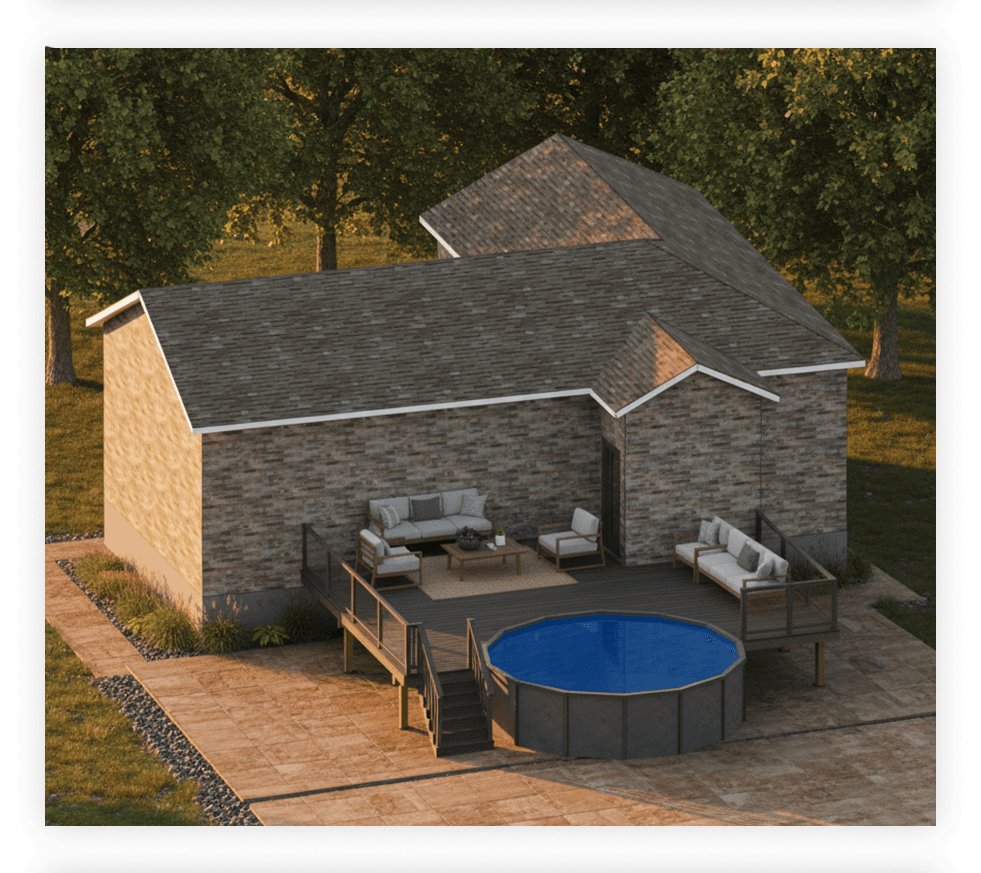
See Your Deck Before You Build It - Realistic 3D Renders
Photorealistic Exterior Visualization
Generate a realistic 3D render of your deck before a single board is cut. See exactly how the decking pattern, railing style, stair placement, and trim details will look together.
Try Different Decking Styles & Colors
Swap between composite, wood, or picture-frame decking patterns and compare color options instantly. Visualize how your deck will complement your home's exterior before committing to materials.
Share With Your Contractor or HOA
Export your render to share with a builder, get HOA approval, or show your family the finished vision. A realistic visual eliminates guesswork and gets everyone aligned before construction starts.
Deck Design Software Built for Everyone
Contractors & Builders
Generate accurate framing plans, structural calculations, and permit-ready blueprints fast. Cut list in hand before the first board is ordered.
DIY Homeowners
Design your backyard deck with confidence. The deck planner gives you exact material quantities, joist layouts, and printable plans - no designer needed.
Deck Designers
Present clients with realistic 3D renders and professional blueprints. Try different shapes, materials, and layouts before committing to a design.
Deck Design Software FAQ
Can AI design my deck for me?
Yes. RedX Decks includes RedX AI, an AI deck builder - describe the deck you want in plain language, like "a 16x20 deck with stairs on the left and composite decking," and RedX AI builds the full 3D design with framing, beams, joists, and posts. You can then refine any detail yourself, and still get the complete cut list, structural calculations, and permit-ready blueprint.
How can I design a deck with AI?
Tell RedX AI what you want to build or change in everyday language - dimensions, shape, height, stairs, railings, or materials - and it updates your 3D deck design instantly. Every design RedX AI generates uses the same structural engine as the rest of the app, so beam placement, joist spacing, and load calculations are always included.
What deck shapes can I design?
You can design any shape and size with this deck design software - the deck planner adapts to any footprint, from a simple 12x16 rectangle to a complex multi-level deck.
Does it calculate beam and joist sizes automatically?
Yes. Enter your deck dimensions and the deck design software automatically calculates optimal beam placement, joist spacing, and post locations. The deck planner also shows the structural load carried by each post and beam so you can verify everything before you build.
Can I get a permit-ready blueprint?
Yes. The deck design software exports a dimensioned blueprint as a PDF - including plan view, structural framing layout, and material schedule. Most residential building departments accept these for deck permit applications, but always confirm requirements with your local authority.
Does it generate a cut list and material list?
Yes. The deck planner generates a complete cut list with exact lengths and quantities for every board, joist, beam, and post - plus a full material list you can take straight to the lumber yard.
Can I design a composite or multi-level deck?
Yes. The app supports composite and wood decking materials, and you can design multi-level decks with separate sections at different heights. Add stairs, railings, and picture-frame borders to complete the design.
Can I add a roof or pergola above my deck?
Yes. You can design a covered deck by using the roof tools to add the roof above the deck. Includes rafter lengths, a ridge board, and a full cut list.
Is RedX Decks available on iPhone and Android?
Yes. RedX Decks is available on iOS, Android, and as a web app. Design at your desk and pull up your plans on-site from your phone - your saved designs sync across all devices.
Learn More
Start Designing Your Deck
The deck design software that handles structural calculations, cut lists, permit-ready blueprints, and realistic 3D renders - so you can focus on building. No drafting experience needed.