
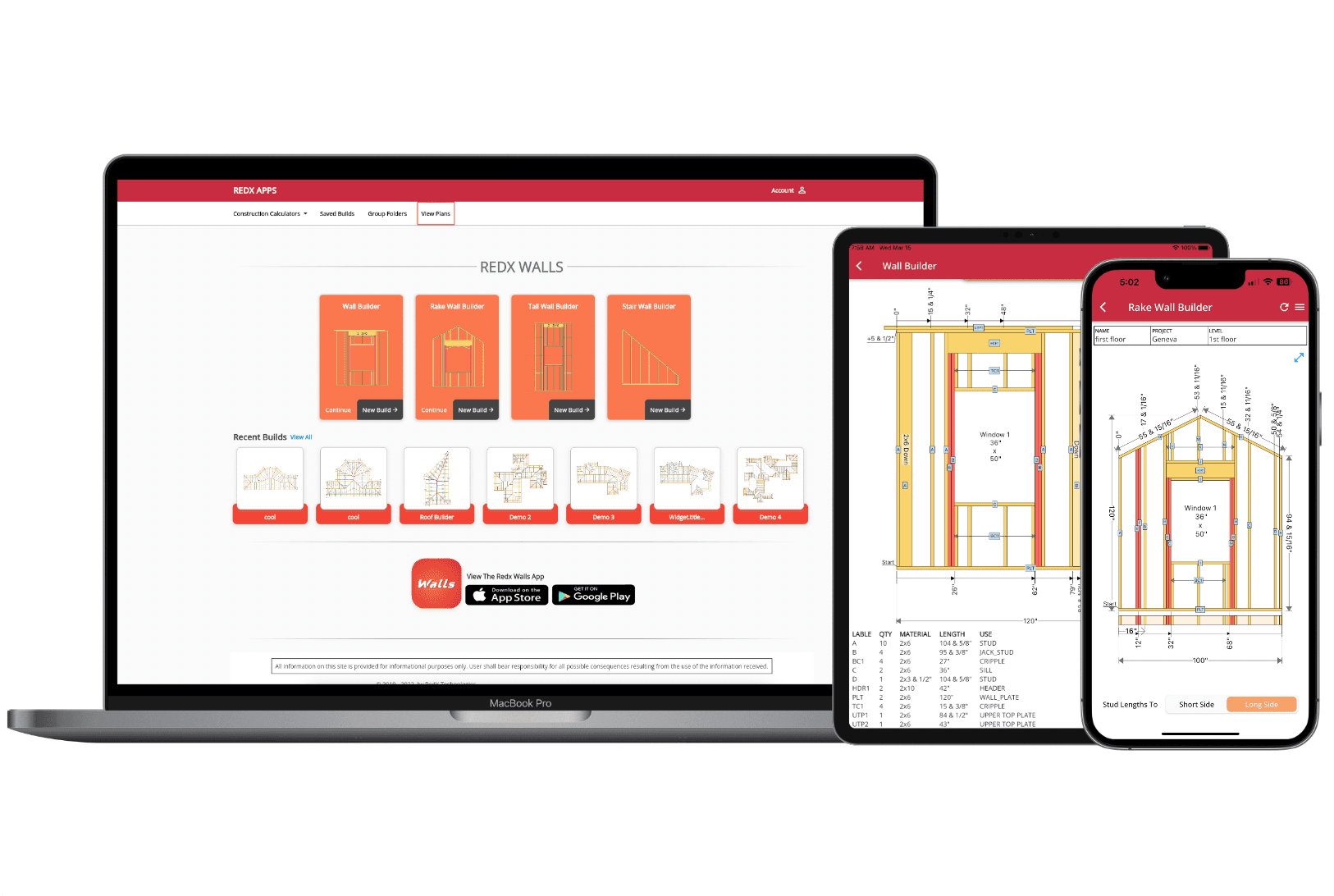
Design Wall Framing Plans - Stud Calculator, Cut Lists & Blueprints
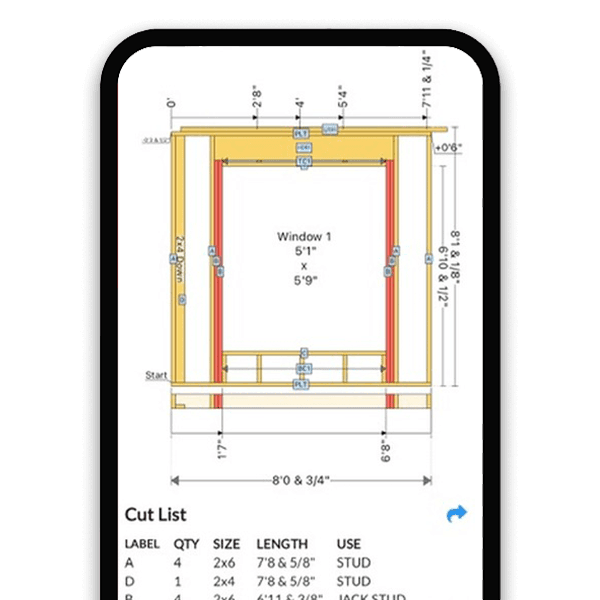
Straight Wall Framing: Automatic Stud Layout & Cut List
Instant Stud Layout
Enter your wall length, height, and stud spacing and the wall framing calculator places every stud automatically - top plate, bottom plate, king studs, jack studs, cripples, and headers included.
Windows, Doors & Intersecting Walls
Add openings and intersections anywhere along the wall. The stud calculator recalculates framing around each element instantly, so you always have an accurate layout.
Complete Cut List
Generate a detailed cut list with quantity, size, and length for every component - ready to hand to your crew or take to the lumber yard.
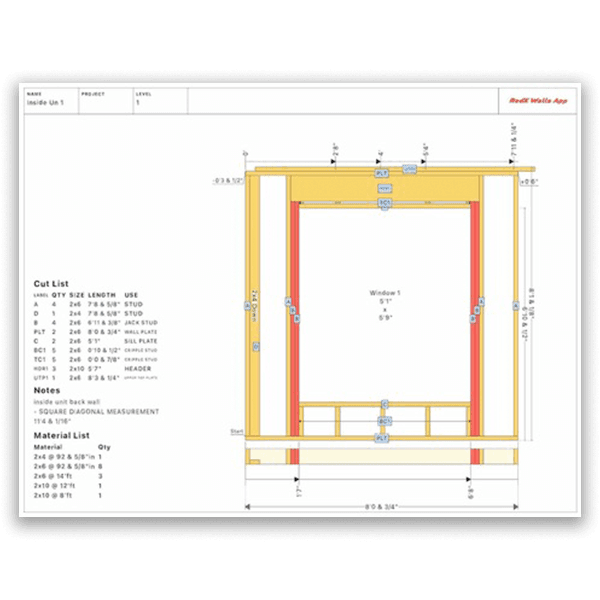
Wall Framing Blueprints - From Design to PDF in Seconds
One-Tap Blueprint Generation
Transform your wall framing design into a professional blueprint instantly. The wall framing software creates dimensioned technical drawings at the tap of a button - saving hours of manual drafting.
Print, Save, or Share
Export wall framing blueprints as PDFs, print them directly, or email to team members and clients. Keep everyone on the same page with up-to-date documentation.
All Measurements Included
Every blueprint includes precise stud positions, header sizes, material lists, and cut schedules. Your crew gets the exact details they need for flawless execution.
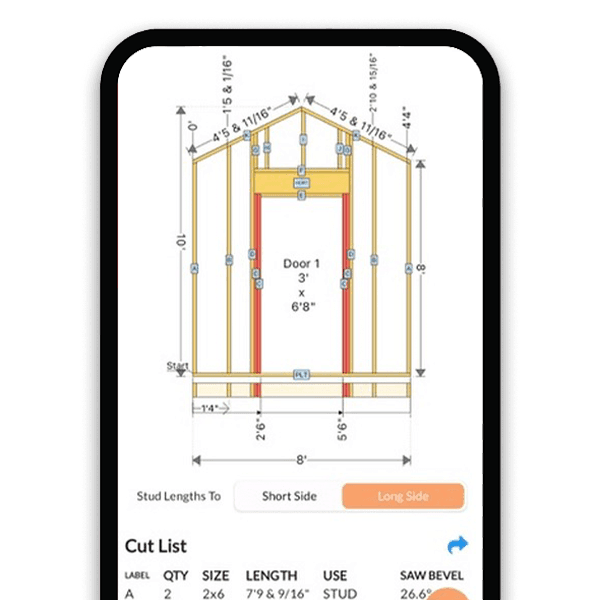
Rake Wall Framing: Precision Angled Stud Calculations
Automatic Bevel Angle Calculations
The rake wall calculator determines every stud length and saw bevel angle automatically - no manual trigonometry needed for gable-end walls.
Adjustable Roof Pitch
Set any roof pitch and the stud calculator recalculates the entire rake wall framing layout instantly, ensuring perfect alignment with your roof design.
Visual Framing Layout
See every stud position and measurement on a dynamic visual model. Make real-time adjustments and watch the framing update live.
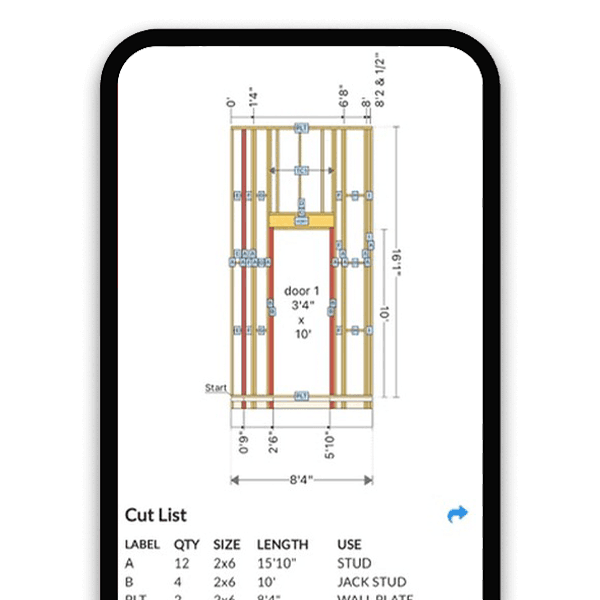
Tall Wall Framing: Frame High Walls with Confidence
Doubled Studs & Custom Spacing
Double up studs for increased load capacity and set custom spacing to meet structural requirements for multi-story or commercial wall framing.
Beam Pockets, Point Loads & Openings
Add beam pockets, point loads, windows, and doors. The wall framing calculator adjusts the entire stud layout around each element automatically.
Automatic Cut List & Material Count
Generate precise cut lists and material requirements for even the most complex tall wall designs - saving time and reducing errors on every project.
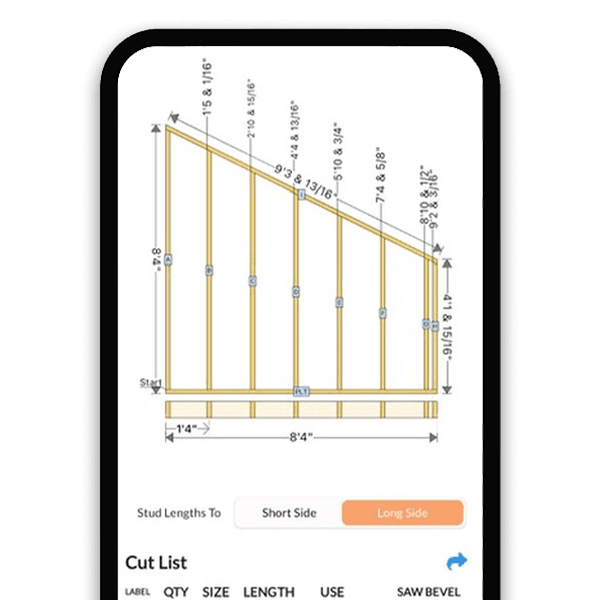
Single Slope Wall Builder: Lean-To & Angled Wall Framing
Set Any Wall Slope
Enter your desired incline and the stud calculator computes each stud's unique length and cut angle - perfect for lean-tos, sheds, and modern architectural designs.
Instant Stud Length Calculations
Every stud gets a precise, unique length calculated automatically. No guesswork, no complex math - just accurate wall framing every time.
Full Build Plan
Generate a complete build plan with visual layout, cut list, and material requirements - all tailored to your specific slope and dimensions.
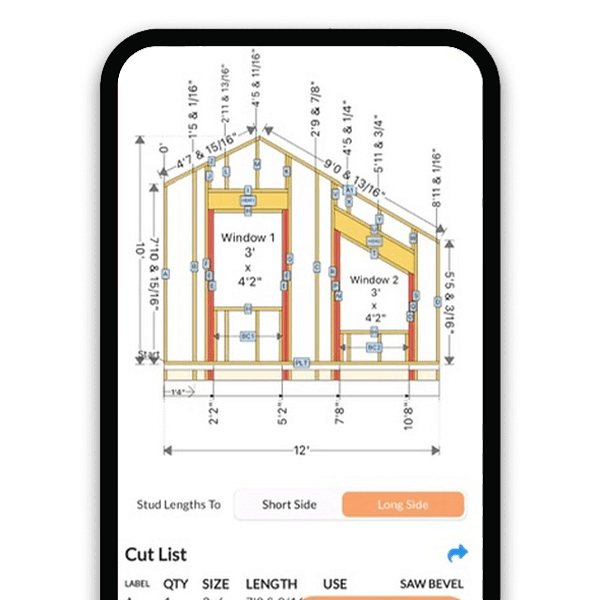
Advanced Rake Wall: Asymmetrical Gable-End Framing
Different Slopes Per Side
Create rake walls with independent slopes on each side - ideal for complex roof interfaces and unique architectural designs.
Integrated Window Framing
Add windows directly into your rake wall design. The wall framing software automatically adjusts stud placement, headers, and cripples for a perfect fit.
Precise Angle & Length Calculations
The calculator determines exact stud lengths, bevel angles, and positions for both slopes, ensuring structural integrity and minimal material waste.
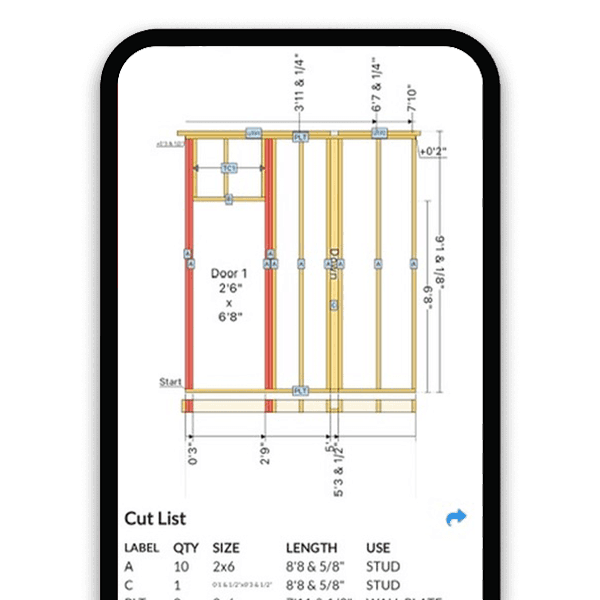
Interior Wall Framing: Quick Partition Wall Layout
Automatic Door Framing
Add door openings and the stud calculator places king studs, jack studs, headers, and cripples automatically - proper interior wall framing without the manual layout.
Instant Stud Placement
Enter your wall length and height to get immediate calculations for stud positions, ensuring optimal strength and material efficiency for interior wall framing.
Simple Material List
Generate a straightforward cut list and material count - perfect for DIY interior wall framing projects or quick professional estimates.
How to Create a Wall Framing Plan in 5 Steps
- 1
Choose Your Wall Type
Select from straight wall, rake wall, tall wall, single slope, or interior wall. Each type is optimized for its specific framing requirements.
- 2
Enter Your Dimensions
Input wall length, height, and stud spacing (16" or 24" on center). For rake walls, set your roof pitch. For tall walls, configure doubled studs and load points.
- 3
Add Openings & Components
Place windows, doors, intersecting walls, and beam pockets anywhere along the wall. The wall framing calculator adjusts the stud layout around each element automatically.
- 4
Review the Cut List & Material Count
Check the generated cut list with every stud length, quantity, and size. Review the material list to know exactly what to order before heading to the lumber yard.
- 5
Export Your Wall Blueprint
Generate a printable wall framing blueprint as a PDF. Print it, email it to your crew, or save it for permit applications - your complete wall plan is ready.
Wall Framing Software Built for Everyone
Contractors & Framers
Generate accurate wall framing plans and cut lists fast. Spend less time calculating stud layouts and more time building.
DIY Homeowners
Frame interior walls, partition walls, and additions with confidence. The stud calculator gives you exact measurements and material quantities - no framing experience needed.
Students & Educators
Visualize wall framing, stud spacing, and structural components interactively - great for carpentry and construction courses.
Wall Framing Software FAQ
How does the wall framing calculator work?
Enter your wall dimensions - length, height, and stud spacing - and RedX Walls automatically calculates every stud position, generates a visual framing layout, and produces a complete cut list with quantities and lengths. Add windows, doors, and intersecting walls, and the stud calculator adjusts the framing instantly.
Can I create wall framing blueprints with this app?
Yes. RedX Walls generates professional-grade wall framing blueprints you can print as PDFs, email to your crew, or save for permit applications. Every blueprint includes precise measurements, stud layout, and a full cut list.
What types of walls can I frame?
RedX Walls supports straight walls, rake walls (gable-end walls), tall walls, single-slope walls, advanced asymmetrical rake walls, and simple interior partition walls. Each wall type includes automatic stud calculations, cut lists, and blueprint export.
Is the wall framing software free?
RedX Walls is free to start. You can design walls, view stud layouts, and generate cut lists at no cost. Premium features like blueprint PDF export and unlimited saved designs are available with a subscription.
Does it work on iPhone, Android, and desktop?
Yes. RedX Walls is available on iOS, Android, and as a web app. Design at your desk and pull up your wall framing plans on-site from your phone - your saved designs sync across all devices.
Learn More
Start Designing Your Wall Framing Plan
RedX Walls handles stud calculations, cut lists, and blueprint generation - so you can focus on building. Frame any wall type, export printable blueprints, and get accurate material lists. No drafting experience needed.